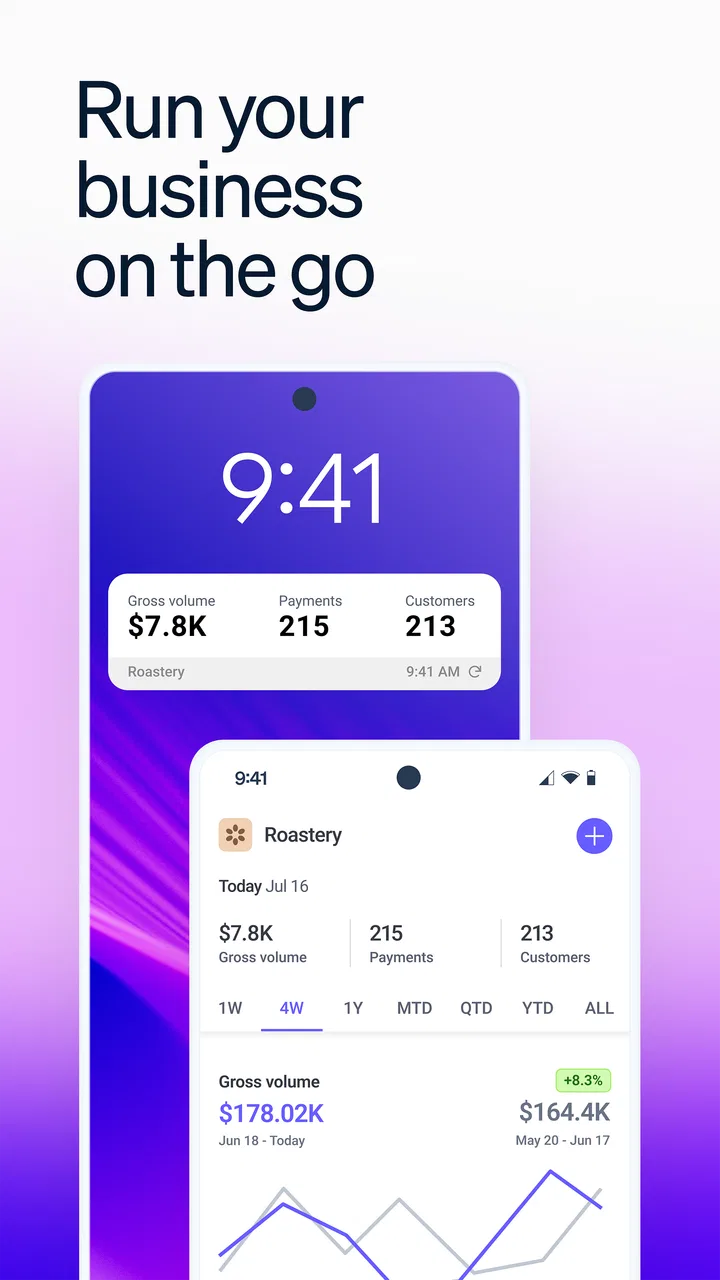
Stripe Dashboard
- 4.2
- Rating
- 1.00M
- Installs
- Free
- Price

 Analysis by App-foxy
Running a small business often means making decisions away from a desk: checking whether a payment arrived, looking at recent activity, or trying to understand why a day’s figures changed. Stripe Dashboard is built for that mobile reality. Developed by Stripe, Inc., this free Business app gives me a compact way to follow payment activity and business metrics from an Android device rather than waiting until I can open a desktop browser.
My overall impression is that it works best as a companion for people who already use Stripe, not as a complete business-management system on its own. It is useful when I need a quick view of what is happening, but it does not remove the need for careful financial review, proper account security, or the fuller controls available through a desktop workflow. Its strongest quality is immediacy; its main weakness is that a smaller screen can make detailed investigation less comfortable.
How the mobile experience handles readability and navigation
The first thing I noticed is that the app is organized around the information a Stripe user is most likely to check repeatedly: payments and performance indicators. That focus helps the interface feel more purposeful than a general accounting app filled with unrelated tools. When I open it for a quick check, I can concentrate on the current state of the business instead of navigating through a large collection of office features.
You May Also Like

 Blood Strike: 2.5 Anniversary
Blood Strike’s Loadouts Turn Every Drop Into a Tactical Gamble
A close look at Blood Strike’s custom loadouts: how fast access to signature weapons reshapes its battle royale rhythm, rewards preparation, and narrows the gap between fights.

 Pandora - Music & Podcasts
Pandora’s Music Is Easy to Start, but Harder to Recover
Pandora’s strength is its low-effort path from a seed to a station. Its weak spot is how much confidence it asks you to place in connection, setup, and quiet recovery.

 8 Ball Pool
 Is Built on Rivalries, Rematches, and Routine
A close look at the rivalries, rematches, shared routines, and unanswered safety questions that turn a quick pool match into a persistent mobile community.

 Samsung Music
’s Quiet Strength Is Playing What You Already Own
Its reach comes less from spectacle than from dependable access to a personal library. That simplicity is both the app’s strongest retention engine and its ceiling.

 AccuWeather: Weather Radar
AccuWeather Review: A Quick, Clear Forecast for Everyday Decisions
For everyday plans, the best forecast is the one you can understand quickly. AccuWeather makes rain timing, radar, and local conditions easy to act on, with a few trade-offs.

 Hill Climb Racing
Why Hill Climb Racing Still Turns Crashes Into One More Run
A tiny car, a bumpy hill and one more upgrade: Hill Climb Racing keeps resurfacing because its simple chaos makes every near-miss feel personal.
More From Our News Desk



That simplicity matters for readability. A mobile dashboard has limited space, so the most useful design choice is not necessarily showing everything at once. In my experience, a focused overview is easier to scan than a crowded screen containing every possible report. I can use it for a short status check, then move to a larger screen when the question becomes more complicated.
The app is rated for Everyone, which makes its general presentation approachable for a broad audience. That does not mean every business task will feel equally easy for every person. Financial information can be dense even when the buttons are clear, and unfamiliar payment terms may require context that the mobile view cannot provide immediately. Someone new to Stripe may need time to understand what each figure represents before acting on it.
I also found that the app’s value depends on having a clear reason for opening it. If I only want to confirm that a payment has appeared, the mobile format makes sense. If I need to compare several periods, investigate a complicated customer history, or prepare a detailed reconciliation, a desktop browser is usually the more comfortable alternative. The app is a monitoring tool first, and treating it like a full replacement for every browser-based task can lead to frustration.
What makes a quick check genuinely useful
A practical routine is to use the app at specific points in the day rather than repeatedly refreshing it without a purpose. For example, after delivering a service, I might check whether the related payment is visible, then leave deeper bookkeeping for a scheduled review. This keeps the mobile dashboard from becoming a distraction while still giving me timely awareness of important activity.
Another helpful habit is separating observation from action. I can use the phone to notice an unusual movement in payments or metrics, but I should avoid making a rushed business decision simply because one number looks different. The dashboard can point me toward a question; it does not automatically explain every reason behind the result.
For a person who finds small text tiring, the important consideration is not just whether the app opens successfully, but whether the information can be read comfortably during a real workday. Screen size, display settings, lighting, and visual fatigue all make a difference. I would test the app on the actual phone I plan to carry, because a layout that feels comfortable on a large device may feel cramped on a smaller one.
Motor, sensory, and situational use
Mobile access can help people whose work does not happen at a fixed workstation. A market seller, consultant, freelancer, or small online business owner may need to check activity while standing, moving between tasks, or working in a noisy environment. In those situations, having the dashboard in a familiar phone interface can be more practical than finding a laptop.
There is also a useful benefit for people who cannot comfortably remain seated at a desk for long periods. A short mobile check can reduce the need to move to a separate computer for every basic question. I would not describe that as a substitute for every accessibility need, but it is a meaningful difference in everyday use: the app brings a limited part of the business workflow closer to the user.
Motor control is a more mixed experience. A phone is convenient to hold, but it also offers less physical room for tapping than a desktop display. Someone with limited dexterity may prefer using the app for simple viewing and reserve more involved tasks for a larger interface with a mouse or another pointing device. The best choice depends on whether the user is checking information or trying to perform a sequence of precise actions.
Touch interaction can also be affected by movement. Imagine a café owner who is carrying supplies and pauses to check the day’s payment activity with one hand. The app may be useful in that moment, but a busy environment increases the chance of tapping the wrong control or misreading a figure. I would avoid sensitive or irreversible decisions while distracted, and use a calmer setting for anything that needs careful confirmation.
Sensory context matters just as much. A phone can be used in a dim room, outdoors, or in a noisy shop, but glare, reflections, and surrounding activity can make financial information harder to interpret. If I am checking the dashboard in bright sunlight, I want to slow down and verify what I am seeing rather than assuming a quick glance is enough. Likewise, someone who relies heavily on visual clarity may find a larger monitor preferable for extended review.
The app’s business focus is helpful here because it avoids turning the phone into a general-purpose accounting workspace. There are fewer unrelated areas competing for attention. However, the compact format also means that context can be limited. A person who needs larger visual separation, more room for comparison, or a highly structured review process may find the mobile experience less suitable than a browser-based dashboard.
A realistic day with the app
Consider a freelance photographer who accepts client payments through Stripe. Between appointments, she opens the app to check whether a recent payment is reflected in her account activity and to get a quick sense of how business is moving. She does not need to open a spreadsheet for that small question, and she can return to her work quickly.
Later, she notices that the numbers do not match what she expected. This is where I would change tools. Instead of trying to solve the entire discrepancy on a phone while traveling, she can record the question and examine the relevant details in a more spacious desktop workflow. The mobile app has done its job by making the issue visible early, but not necessarily by providing the ideal environment for resolving it.
This distinction is important for inclusive use. A product can be valuable even when it is not the right interface for every stage of a task. The app supports quick awareness for people with different schedules and working environments, while a larger screen may better support users who need extended concentration, magnification, precise pointer control, or side-by-side comparison.
Where the experience still creates barriers
The biggest barrier is the gap between a quick overview and a complete investigation. Payment information and business metrics are useful only when I understand their timing, meaning, and relationship to the rest of my records. On a small screen, moving from a surprising figure to a confident explanation can take more effort than simply viewing the initial result.
That limitation affects users in different ways. Someone with limited working memory may benefit from writing down the question before switching between screens. Someone with visual fatigue may prefer to postpone detailed review until a larger display is available. Someone working under time pressure may be tempted to act on an incomplete picture. The app cannot solve those human and situational challenges by itself.
There is also a learning curve around payment language. A person who has never managed online transactions may recognize a total but not immediately understand the operational meaning of every activity entry or metric. I would recommend learning the account’s terminology during a quiet session rather than waiting until an urgent payment issue appears. That small preparation makes the mobile dashboard much less intimidating.
Security is another practical consideration. Because the app gives access to business information, I would treat the phone as part of the company’s working environment, not merely a casual personal device. I would avoid checking sensitive details on a borrowed phone, keep the device protected, and be cautious when working in public. These are general safe-use habits, but they matter more when financial activity is available from a pocket.
The app may also be the wrong choice for a team that needs a shared operational process built around approvals, extensive documentation, or complex reporting. Stripe Dashboard can be convenient for individual owners and small teams that need visibility, but a larger organization may need dedicated accounting, reporting, or collaboration tools alongside it. The mobile app should be evaluated as one part of that setup rather than assumed to be the entire system.
Compared with checking Stripe through a mobile browser, a dedicated app feels more direct for repeated monitoring. I do not have to begin with a browser tab or treat the dashboard as just another website. Compared with a full accounting package, however, it is narrower. Accounting software is generally better when the main job is categorizing expenses, managing books, or preparing comprehensive financial records. Stripe Dashboard is better when the immediate question is what is happening with Stripe activity and business performance.
That trade-off makes the choice fairly clear. If I already rely on Stripe and want a focused mobile view, the app earns its place. If I am looking for invoicing, inventory, payroll, tax preparation, or a complete customer relationship system, I would look elsewhere or use additional tools. Installing it will not turn a payment processor into a universal business suite.
Who should use it and who should skip it
I would recommend Stripe Dashboard to a Stripe user who values quick access, works away from a desk, or wants a simple way to keep an eye on payment activity. It is especially sensible for an owner who does not need to perform detailed analysis every time they pick up the phone. The free price also lowers the barrier to trying it as a companion to an existing Stripe workflow.
I would be more cautious if the user has difficulty reading compact financial screens, needs extensive keyboard or pointer control, or expects the phone to support every advanced business task. In those cases, the desktop experience may be more comfortable, and a separate accounting tool may be more appropriate. The right decision is not about whether the app is “accessible” in an abstract sense; it is about whether its mobile format fits the person’s abilities, device, environment, and responsibilities.
It is also worth considering the scale of the business. A solo operator can often benefit from a focused view because there are fewer people and systems to coordinate. A growing team may need clearly defined roles and a broader reporting process, making the app useful for awareness but insufficient as the central management workspace.
Details worth knowing before installing
Stripe Dashboard has been available since March 22, 2018, and the current release is version 2.27.0. It runs on Android 8.0 or later, so compatibility should be checked against the phone rather than assumed. The app has passed the million-install mark and holds a 4.5 average from around thirty-two thousand ratings, with roughly three thousand one hundred written reviews. Those figures suggest a well-established mobile presence, but they do not guarantee that the layout will suit every user or device.
For someone deciding whether to try it, the practical answer is simple: if the phone meets the operating-system requirement and the business already uses Stripe, the app is a reasonable no-cost experiment. I would install it, sign in carefully, and test the tasks I actually perform most often. That means checking a recent payment, reading the main metrics, and seeing whether the text and controls remain comfortable after several minutes rather than judging only the first screen.
I would also set expectations before relying on it during a busy day. Use it for timely awareness, but keep a separate routine for reconciliation and deeper financial review. If the mobile view makes a task feel rushed or visually demanding, switching to the browser is not a failure of the app; it is the sensible use of a different interface for a different job.
My inclusive verdict
After using Stripe Dashboard as a mobile companion, I see a focused tool with a clear purpose: helping Stripe users stay aware of payments and business metrics while they are away from a desk. Its compact format can support people with mobile work patterns, limited time at a computer, or a preference for short, focused checks. The free availability and broad age rating make it easy to consider, while its established user base indicates that it is not an experimental side project.
Its inclusive value is real but limited. The app can make basic business visibility more convenient in different physical and work situations, yet small-screen reading, touch precision, visual fatigue, unfamiliar terminology, and the need for deeper context can still create barriers. I would not rely on it alone for complex financial decisions, and I would not recommend it as a replacement for a full accounting system.
My recommendation is to use Stripe Dashboard as a fast, focused window into a Stripe business account, not as the whole office. If that matches your needs, it can save time and reduce the friction of checking activity. If you need detailed records, extensive reporting, or a workspace tailored to specific motor or sensory requirements, pair it with a larger-screen workflow or choose a more specialized business tool. That honest division of labor is where the app feels most useful.
FAQs for Stripe Dashboard
01What is the Stripe Dashboard used for?
The Stripe Dashboard is a comprehensive tool designed for businesses to manage their payment processing needs. It offers features such as transaction tracking, financial reporting, and customer management. Users can monitor account activity, issue refunds, and access detailed analytics, making it an essential application for businesses relying on Stripe for payment solutions.
02Is the Stripe Dashboard secure for handling sensitive information?
Yes, the Stripe Dashboard is designed with robust security measures to protect sensitive information. It complies with industry standards such as PCI-DSS to ensure that all payment data is securely handled. Features like two-factor authentication and real-time monitoring further enhance the security, giving users peace of mind when managing their financial information.
03Can I customize the data and reports in the Stripe Dashboard?
Absolutely, the Stripe Dashboard allows users to customize and filter data to suit their specific business needs. You can generate custom reports, set specific metrics, and use various filters to view the data that matters most to your operations. This flexibility enables businesses to gain insights tailored to their unique financial situations.
04Does the Stripe Dashboard support multiple currencies?
Yes, the Stripe Dashboard supports multiple currencies, making it an excellent choice for businesses operating internationally. Users can process payments in over 135 currencies, allowing for seamless global transactions. This feature helps businesses expand their reach and cater to a diverse customer base without currency conversion hassles.
05How user-friendly is the Stripe Dashboard for beginners?
The Stripe Dashboard is designed with an intuitive interface, making it user-friendly even for beginners. It offers a clean layout with easy navigation and access to customer support resources. Additionally, Stripe provides comprehensive documentation and tutorials to help new users quickly understand and utilize the dashboard's full potential.
Pros
- User-friendly interface enhances navigation.
- Real-time updates for monitoring transactions.
- Comprehensive analytics for business insights.
- Customizable reports for detailed analysis.
- Seamless integration with multiple platforms.
Cons
- Limited offline functionality hampers access.
- Complex setup for beginners can be daunting.
- Occasional sync issues with bank accounts.
- Subscription fees might be high for small businesses.
- Limited support for certain international currencies.

Stripe Dashboard
Gallery